
- 繁體中文
- 中文
- English
点击下载
Download
FileName :
Corecloud Serial Port Display Driver_Windows_V0.1.0
FileType :
zip
UpLoadTime :
2024-03-27 19:34:33
Downloads :
26183
FileSize :
2.97MB
UpDataTime :
2024-01-09 00:00:00
Introduction
CorecloudSUTUC
Corecloud Innovation serial port number display driver
System compatibility: Supports 64-bit Windows systems of WIN7 and above.
Installation method: After decompressing the compressed package, double-click the exe to install the software.
Instructions for use: It starts automatically when booting by default, no need to open it.
Uninstallation method: Use the software uninstallation tool that comes with the system to uninstall.
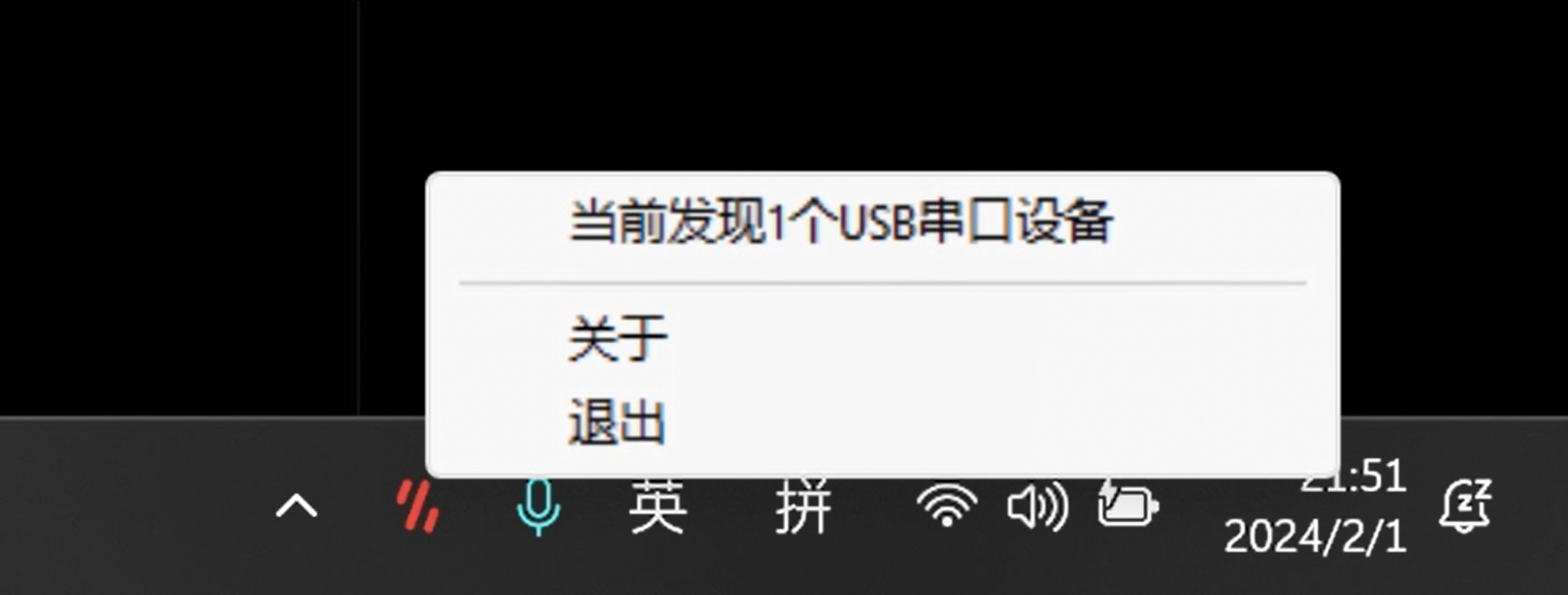
Software screenshot:
Rare issues:
Q1: WIN7 system cannot work properly?
A1: In some WIN7 systems, the serial port tool cannot be recognized due to the lack of USB driver. In order to solve this problem, an additional USB CDC driver needs to be installed.
1. Check whether the file "C:\Windows\System32\drivers\usbser.sys" exists. If it does not exist, copy the file to the directory.
2. Copy the file "usbser.inf" to the system folder "C:\Windows\inf".
3. Perform the following steps to update the driver:
1. Open Device Manager.
2. Find the device that needs to update the driver in the device manager.
3. Right-click the device and select "Update Driver Software".
4. In the pop-up dialog box, select the "Browse my computer for driver software" option.
5. Specify the location of the driver software as the system folder "C:\Windows\inf" where the file is located.
6. Follow the prompts to complete the driver update process.
After a successful update, the system should be able to correctly identify and use the device.
Q2: Why can the device manager recognize the serial port device, but still cannot work properly and cannot display the serial port number?
A2: If you have installed the serial number display driver but still cannot display the serial number, please first check whether the device serial port is occupied by other software. You can also try disconnecting the device and plugging it back in. If the problem is still not resolved, in some Windows systems, the lack of VC140 runtime library will cause the device to not work properly and the serial number will not be displayed. To solve this problem, you need to install the VC140 runtime library. You can download and install via the following link: https://aka.ms/vs/17/release/vc_redist.x64.exe.
Telephone:+86 0755-23219643
E-mail:info@corecloud.tech
Headquarters:Room 708, Building A, Intelligent Innovation Center, Baoan District, Shenzhen, China
© China Shenzhen Corecloud Innovation Technology Co., Ltd.

点击右上角
分享给朋友吧
